About the draw Command
To display an image on the display, use the draw command. The draw command has several drawing features, but here we introduce how to load and display an image file.
Below is an illustration of how the draw command works.
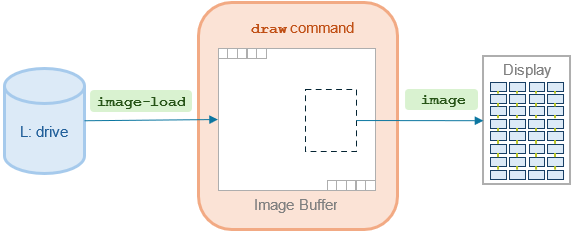
The draw command has an internal image buffer. When you load an image file with the image-load subcommand, the image data is stored in this buffer. The image subcommand displays the contents of the image buffer on the display.
The image subcommand uses the offset and size subcommands to specify the display area within the image buffer.
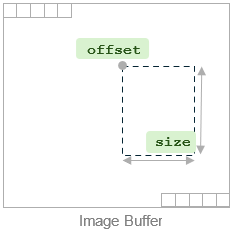
Other draw subcommands related to image drawing include:
offset-shift: Shifts the display area by a specified amountrepeat-x,repeat-y: Repeats the display area to fill the width and/or height of the display