Sample: Animation
Using a WS2812 module arranged in a matrix, you can easily create a small display. Below is an example of connecting a 16x16 matrix module to a Pico board.
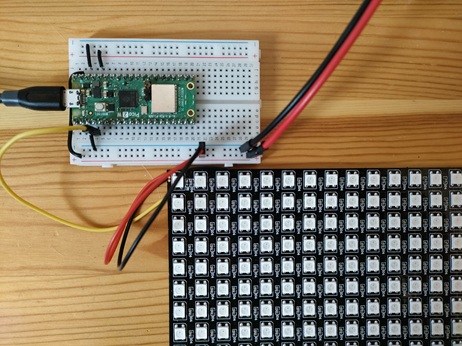
The DIN pin of the matrix module is connected to GPIO2.
rect-inflate-16.png is an image file with a square gradually inflating in a 16x16 dot area, arranged horizontally.

 Image of
 rect-inflate-16.png
Save this file to the Pico board's internal storage L: drive and run the following commands:
| Animation Display | |
|---|---|
When you run offset-shift:16,0, the display area shifts 16 dots to the right at a time, creating an animation effect.
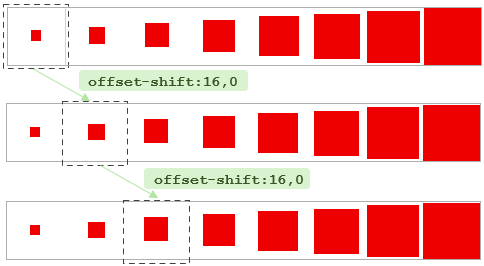
The command operations are exactly the same, and you can display various animations just by changing the image file.