Sample: Scrolling Text
Using a WS2812 module arranged in a matrix, you can easily create a small display. Below is an example of connecting a 16x16 matrix module to a Pico board.
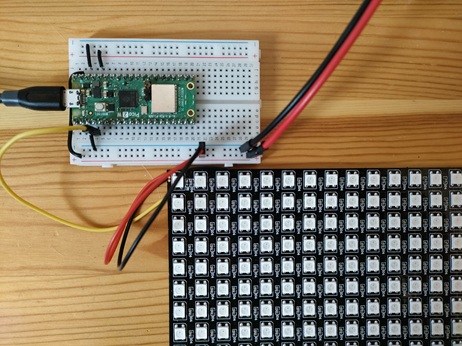
The DIN pin of the matrix module is connected to GPIO2.
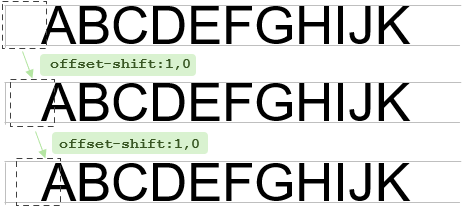
alphabet-white-16.png is an image file with uppercase letters A to Z in white, arranged horizontally at 16 dots high.

 Image of
 alphabet-white-16.png
Save this file to the Pico board's internal storage L: drive and run the following commands:
| Scrolling Text Display | |
|---|---|
When you run offset-shift:1,0, the display area shifts to the right, making the text appear to scroll.