Observing UART Signals
After clicking the Run button in PulseView to start capturing, run the following command in your terminal software:
This command assigns GPIO4 to UART1 TX and sends data from 0 to 255, followed by 0. The final 0 is sent because if the last data is 255, PulseView's UART protocol decoder may not recognize the stop bit correctly.
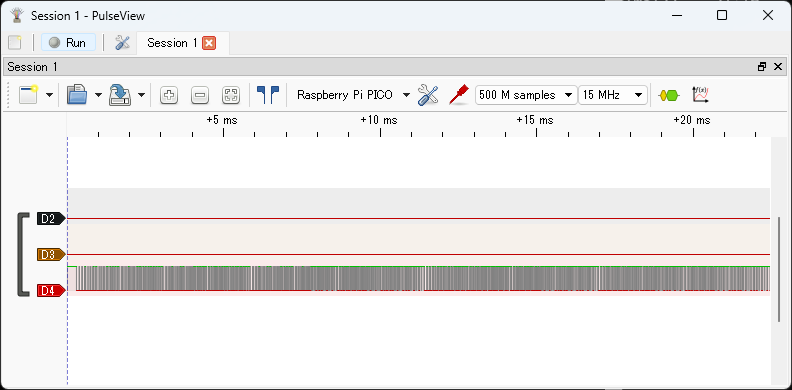
Click the Stop button in PulseView to stop capturing. The captured waveform will be displayed as shown below. D4 is GPIO4 (UART1 TX).
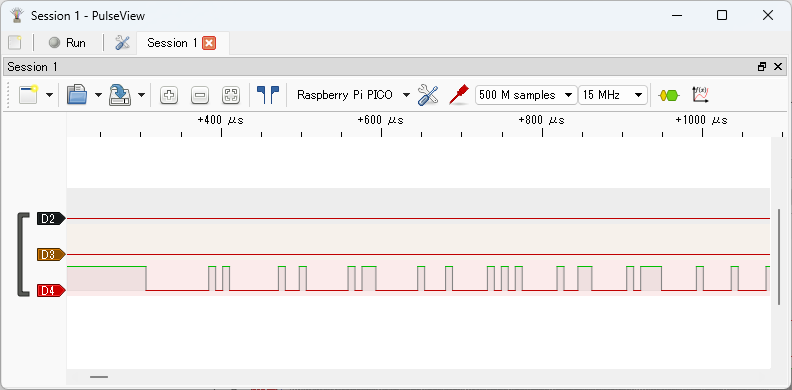
The image below shows a zoomed-in view of the beginning of the signal waveform.
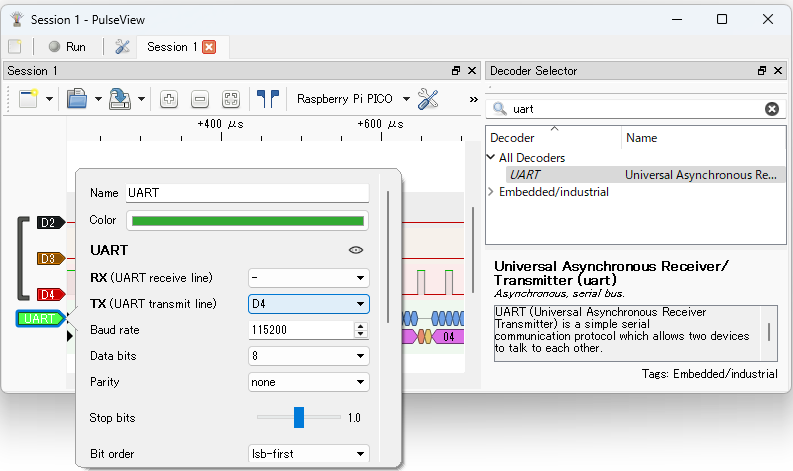
Display the Decoder Selector pane, enter uart in the search box, and double-click UART in the list to add the UART decoder to the waveform. Left-click the UART label in the signal name to open the protocol decoder parameter dialog, and set TX to D4.
Close the dialog to see the decoded UART results.
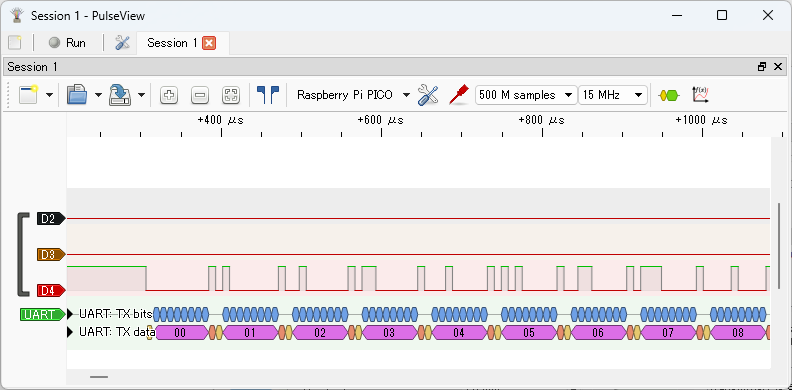
You can see that data from 0 to 255 and 0 is sent on UART TX.